Free email signature generator
Every email you send already reaches the people you want to reach. This puts your card at the bottom of it.
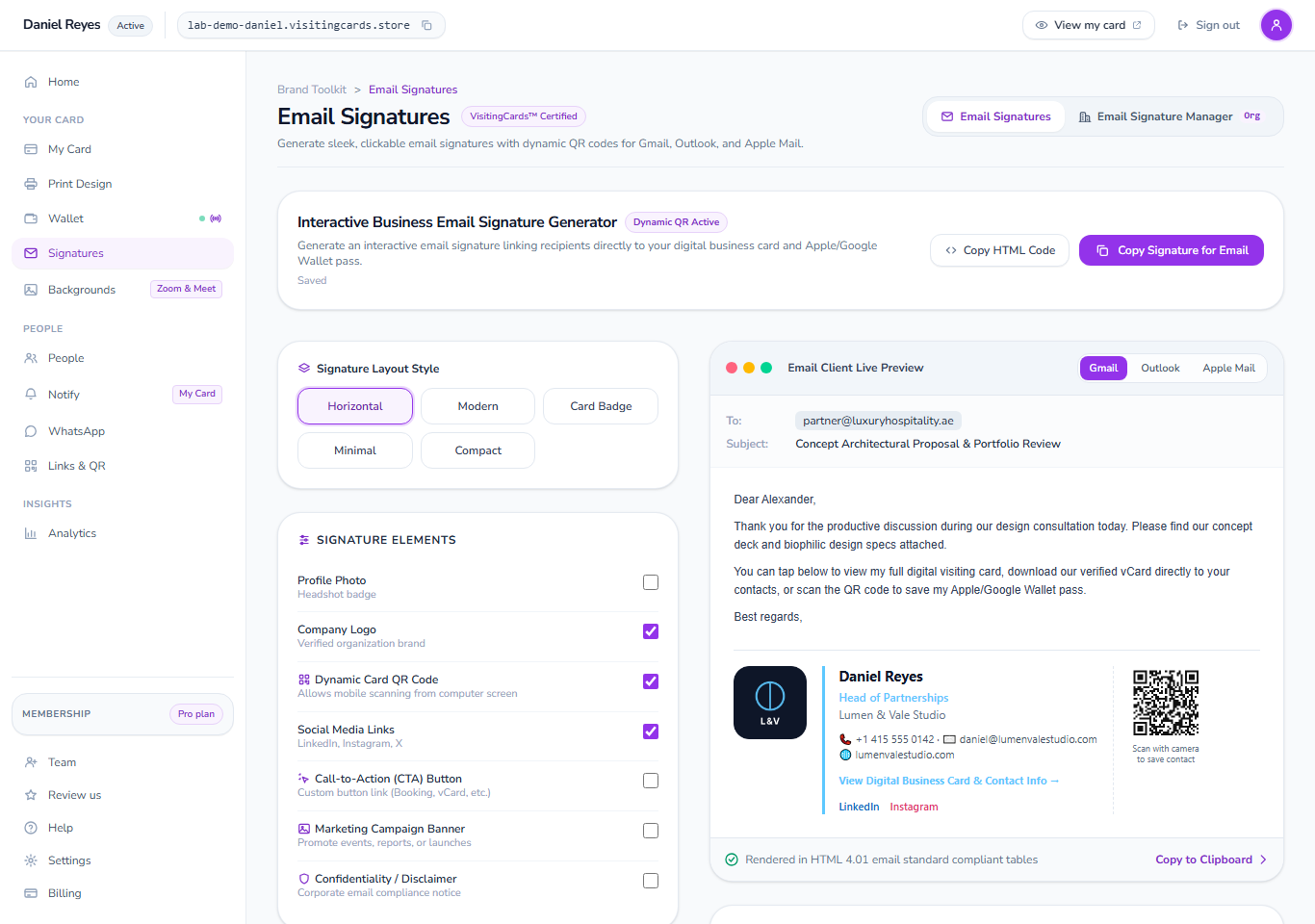
An email signature is the sign-off at the end of your emails. Our generator builds one from your business card: your name, job, phone, logo and a QR code that opens your card. Copy it once into Gmail, Outlook or Apple Mail.
What is an email signature?
It is the few lines at the bottom of an email that say who you are: your name, what you do, where you work and how to reach you. Most people type theirs once, never look at it again, and leave an old phone number on it for years.
Ours is built from your business card instead of typed. The same name, job title, company, photo, logo and contact lines that your card shows go into the signature, so the two can never say different things. Change your job title on your card and your next email carries the new one.
It is ordinary HTML, the kind every mail app understands, and it ends with a QR code and a link that open your card. Somebody reading you on a laptop clicks the link; somebody holding a phone points it at the code.
Paste it into the mail app you already use
The signature is plain HTML, so you paste it into the signature box your mail app already has. Gmail, Outlook and Apple Mail have a step-by-step guide on the screen itself; anything else takes the same paste.
On a computer
- Gmail
- Outlook
- Apple Mail
- Outlook on the web
- Thunderbird
On a phone
- Gmail for iPhone and Android
- Apple Mail on iPhone
- Outlook on a phone
What a generated signature does for you
Write it once, and never again
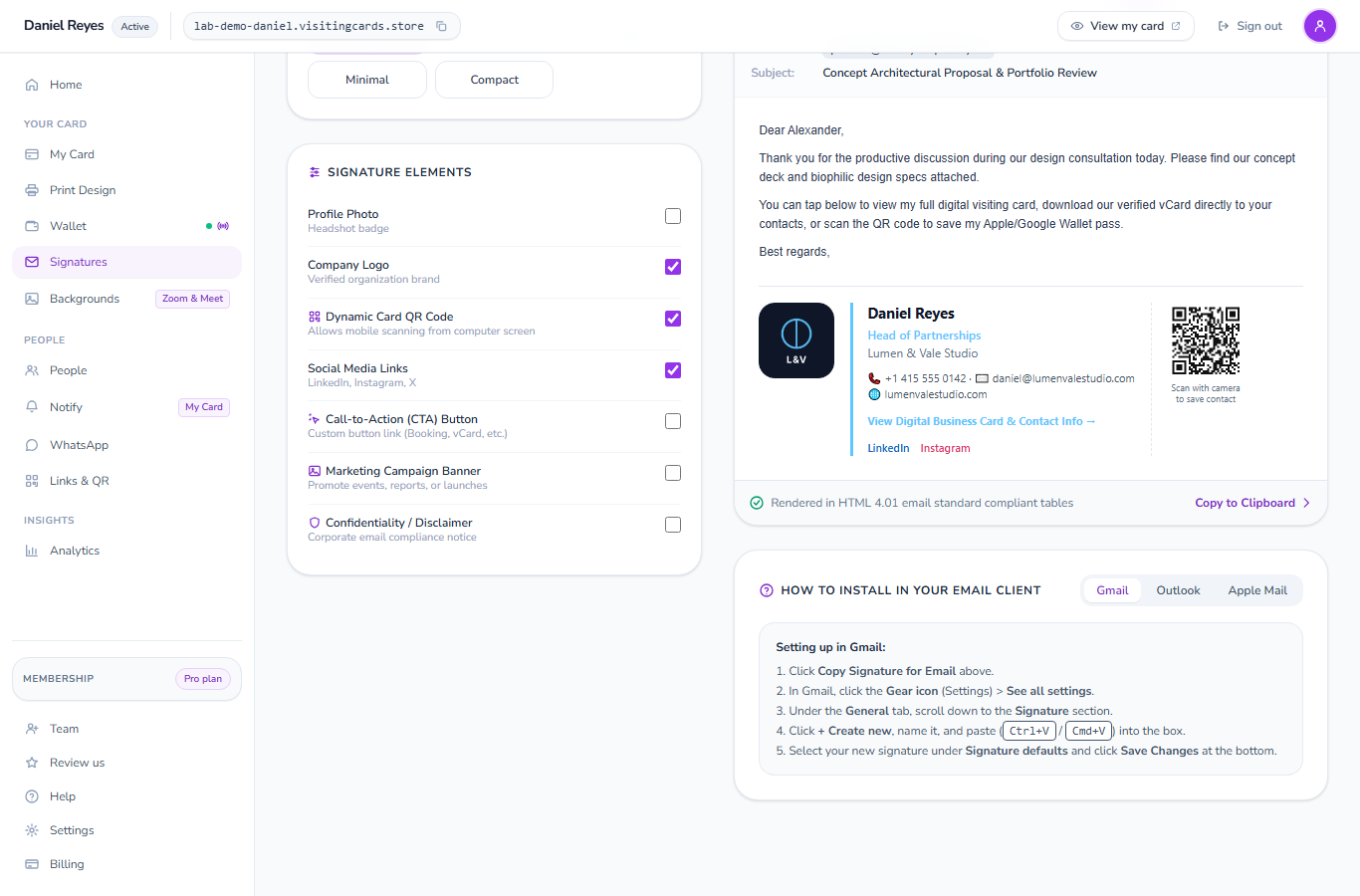
Your signature reads from your card, so the card is the only thing you keep up to date. A new phone number, a new job title, a new company logo: change it in one place and every email you send after that carries it.
- Name, job title, company, phone, email and website, straight from your card
- Your photo and your company logo, each with its own switch
- A disclaimer line for the people whose trade needs one
A QR code that really scans
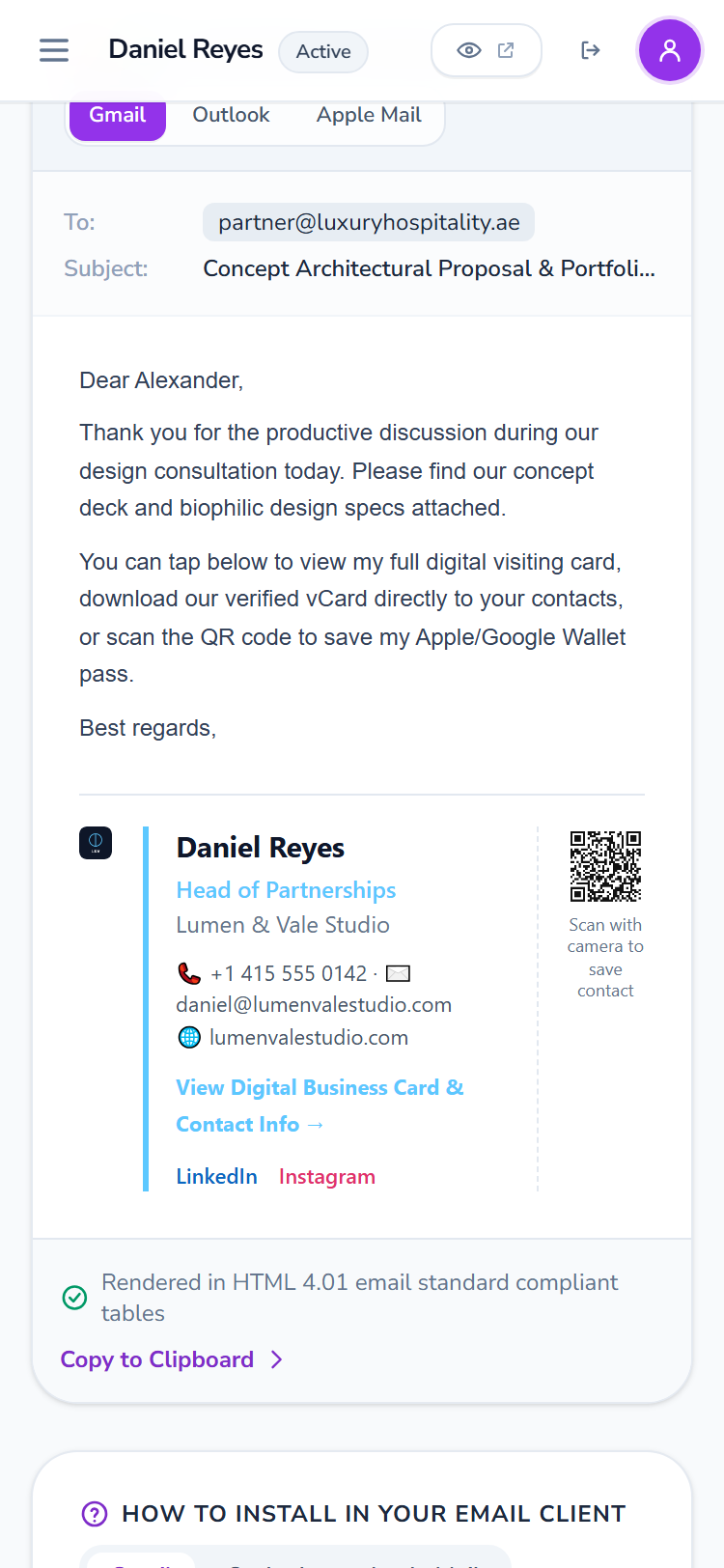
The code at the end of your signature is a real one, not a picture of one. Point a phone camera at it on a screen and it opens your card, where your contact details save to the phone in one tap.
- The code and the link both open your card
- The taps and scans are counted on your own Links and QR screen
- The reader needs no app and no account to open it
Five layouts, no design work
Pick a layout, and the parts arrange themselves around whatever your card holds. Nothing is a placeholder: a switch you turn on for a detail your card does not carry tells you which field to fill in rather than printing an empty line.
- Five finished layouts, each one built and tested to paste cleanly
- Your own colours, taken from your card
- Copy the signature, or copy the HTML if you would rather paste the code
A typed signature and a generated one
The same five lines, kept two different ways.
| Typed by hand | Made from your card | |
|---|---|---|
| When your number changes | Every person edits their own, or forgets | Change the card; the next email is right |
| Your photo and logo | Pasted pictures that often break in the post | Drawn from your card, at the size that travels |
| A QR code | A picture from some other site, if any | A real code that opens your card |
| Knowing it works | Nothing is counted | Taps and scans on your Links and QR screen |
| A banner under it | A picture pasted in and forgotten | Set the first and last day once |
How to make an email signature
Make your card
Create your card with your name, job, company and the ways people can reach you. It takes a couple of minutes and the free plan is enough.
Open Email signatures
In your dashboard, open Email signatures. Your signature is already drawn from the card, inside a letter, so you can see what a reader sees.
Pick a layout and the parts
Choose one of the five layouts and switch each part on or off: photo, logo, QR code, social links, a button, a campaign banner and a disclaimer.
Copy it into your mail app
Press Copy signature, open your mail app's signature box and paste. The guide on the screen shows where that box is in Gmail, Outlook and Apple Mail.
What else your card does
The signature, the call and the card are one set, and they all read from the same details.
The digital card
Your card on its own address, kept on their home screen and sending the notifications you write.
The digital card→Email signature manager
One template for the whole company, the fields you lock, and a banner with an end date.
Email signature manager→Virtual backgrounds
Your card and QR code behind you on Zoom and Google Meet calls.
Virtual backgrounds→Apple Wallet pass

Your card as a pass, beside their boarding passes, changing when your details change.
Apple Wallet pass→Google Wallet pass

The same pass on an Android phone, saved in one tap.
Google Wallet pass→Free card maker
Design a card and download it print-ready, with no account and no watermark.
Free card maker→Questions about email signatures
Is the email signature generator free?
You need an account and a card, and the free plan gives you both. Make your card, open Email signatures and copy your signature into your mail app.
Will my signature look right in Outlook as well as Gmail?
Yes. The five layouts are built as simple tables, which is the one thing every mail app draws the same way, and each one is tested in the mail apps people actually use.
Does the QR code in my email signature work?
Yes, it is a real QR code drawn by our own code, not a picture of one. A phone camera pointed at it on screen opens your card, and the scan is counted on your Links and QR screen.
Can I use my signature on my phone?
Yes. Copy it on a computer, paste it into the signature box of the mail app on your phone, and it goes out with every message you send from there too.
What happens to signatures people already have when I change my card?
Your own signature is drawn again from the card each time you open the screen, so copy it once more after a big change. The link and the QR code keep working either way, because they point at your card rather than at the details inside the signature.
Can a whole company use one signature design?
Yes, that is the email signature manager: one template for everybody, the fields you do not want changed locked, and a banner you can run for a month and end.
Put your card at the end of every email
Make your card, copy your signature and paste it in. The whole thing takes about five minutes, and after that it looks after itself.